
Follow-up
WhatsApp follow-up messages: how to check in without annoying customers
Send polite, timely follow-ups that turn pending quotes and silent orders into confirmed sales without risking your phone number.
Quick answer
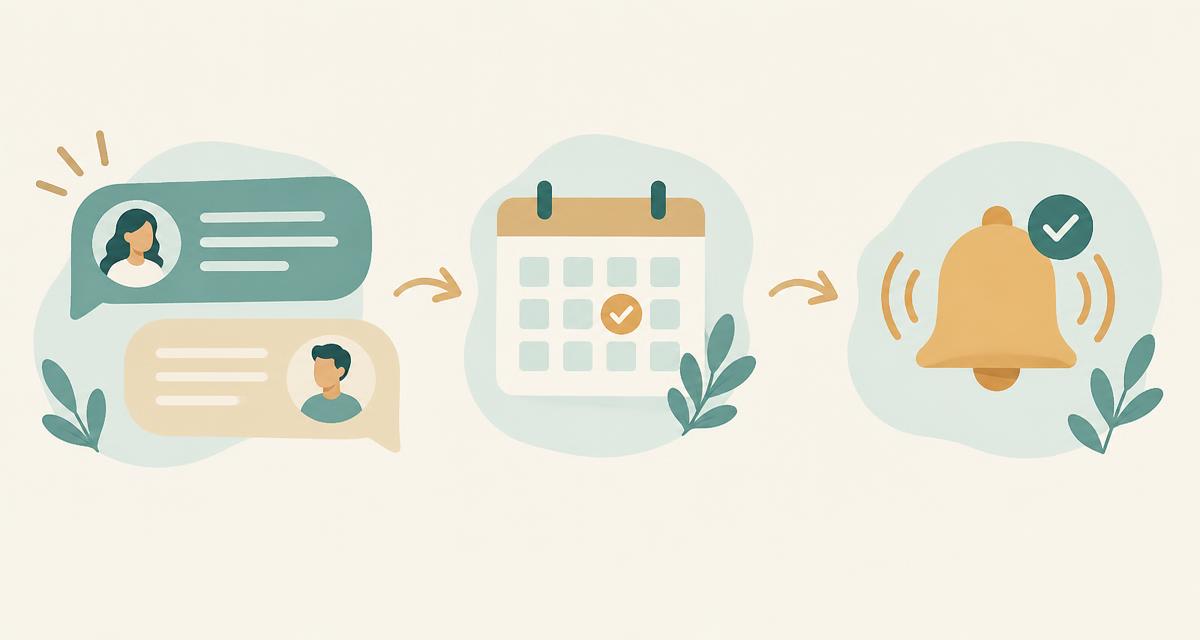
WhatsApp follow-up messages work best when sent once or twice to people who previously asked about an order or quote. Keep them short, reference the original conversation, and ask a single direct question. If someone stays silent after two attempts or asks you to stop, remove them immediately to protect your phone number.
Key takeaways
- Wait at least twenty-four hours before sending your first follow-up message.
- Limit yourself to two follow-ups per contact before closing the conversation.
- Give clear choices or numbered replies so the customer can answer in seconds.
- Remove anyone who asks to stop immediately and never message cold contacts.
- Keep records of who confirmed, who needs help, and who opted out.
In this article
When to send WhatsApp follow-up messages
Timing separates a welcome reminder from annoying spam. Follow up only with contacts who previously engaged with you, such as customers with pending carts, unconfirmed orders, or open quotes. Wait at least twenty-four hours before your first nudge, and never send more than two follow-ups.
Customers open WhatsApp to chat with friends and family. When a business interrupts that space, the message must feel relevant and expected. The best follow-up connects directly to an action the buyer started, such as an abandoned checkout, a price enquiry, or an unconfirmed parcel.
- Pending order confirmation: send the first follow-up 4 to 8 hours after checkout, and a second one the next morning.
- Open price quote: wait 24 to 48 hours after sending details before asking if they wish to proceed.
- Customer service query: check in 24 hours after solving an issue to confirm everything works smoothly.
How many times you should follow up
Following up too often is the fastest way to get reported or blocked. A two-step cadence gives interested buyers enough room to respond without damaging your sender reputation. If a buyer does not reply after your second message, stop messaging and mark their enquiry closed.
| Stage | Timing | Goal | Action if silent |
|---|---|---|---|
| Initial contact | Immediate | Answer question or confirm order details | Wait 24 hours |
| Follow-up 1 | +24 hours | Polite nudge checking if they need assistance | Wait 48 hours |
| Follow-up 2 | +72 hours total | Final courtesy check before closing ticket | Archive contact |
Never send broadcast blasts or repeat messages on the same day. Spreading your messages over time and observing safe WhatsApp sending limits protects your account health and keeps customers comfortable.
Copy examples in English and Arabic
Effective follow-up copy is clear, polite, and brief. Mention the exact product or order number, explain why you are checking in, and give one simple question to answer. Offering numbered choices or simple words makes replying effortless for busy buyers on mobile screens.
Keep your text under four lines. If you sell across the Middle East, offering natural Arabic phrasing alongside English ensures your recipient understands the request immediately.
- 1
Quote follow-up (English)
"Hi Tariq, checking in regarding your enquiry for the walnut dining table. Do you still need this item, or would you prefer to explore other options? Let us know!"
- 2
Quote follow-up (Arabic)
"مرحباً طارق، نود التأكد بخصوص استفسارك عن طاولة الطعام. هل ما زلت مهتماً بالطلب أو تفضل خيارات أخرى؟ يسعدنا مساعدتك."
- 3
Unconfirmed order reminder (English)
"Hi Sara, your order #1084 is packed and ready. Please reply 1 to confirm delivery or 2 to cancel. Thank you — Modern Decor."
- 4
Unconfirmed order reminder (Arabic)
"أهلاً سارة، طلبك رقم ١٠٨٤ جاهز للشحن. نرجو الرد بالرقم ١ لتأكيد التوصيل أو ٢ للإلغاء. شكراً لك — متجر الديكور."
Sorting replies and managing interested lists
Every follow-up campaign generates distinct response categories: confirmed buyers, customers with questions, people asking to stop, and silent contacts. Organising these incoming chats into clear columns lets your team act immediately on warm leads while scrubbing disinterested numbers from future broadcasts.
When replies arrive, group them into four standard buckets to keep communication tidy:
- Interested or confirmed: customer replies with yes, 1, or asks for payment details. Pass directly to dispatch or sales.
- Questions or adjustments: customer wants a different size, address change, or discount. A human agent takes over.
- Opt-out requests: customer asks you to stop or replies with no. Flag the number immediately and block further marketing.
- No response: archive after the second follow-up attempt.
You can create a free account to test structured follow-up routines with your own team and track reply statuses in real time.
Bottom line
Following up on WhatsApp works when you respect your customer's attention. Keep messages brief, space them over several days, stop after two attempts, and immediately honour any opt-out request.
Questions people ask
How long should I wait before sending a WhatsApp follow-up?
Wait at least 24 hours after your initial quote or order notification. For time-sensitive courier dispatches, a four-hour gap during business hours is acceptable, but avoid messaging early in the morning or late at night.
How many follow-up messages are acceptable on WhatsApp?
Two follow-up messages are the practical limit. The first message reminds the customer about their enquiry, and the second serves as a final courtesy check. If they do not respond, stop messaging to prevent spam reports.
What should I do if a customer asks me to stop messaging them?
Acknowledge their request politely and remove their phone number from your contact lists immediately. Continuing to contact someone who requested to stop violates WhatsApp policies and quickly leads to phone number bans.
Can I send follow-up messages to customers who never contacted me?
No. Never send unsolicited cold messages on WhatsApp. You should only follow up with contacts who explicitly submitted their phone number on your website, requested a quote, or placed an order with your business.
Should I use automated buttons or plain text for follow-ups?
Plain text with simple numbered options like reply 1 or 2 often works best. It looks personal, displays reliably across all mobile devices, and encourages natural conversation without requiring complex technical setups.
How do I prevent my WhatsApp number from getting blocked during follow-ups?
Message only warm contacts, pace your outbound messages with natural pauses between chats, keep daily volumes moderate, and remove unresponsive or objecting contacts promptly so recipients do not tap the report button.
Sources
Try it with your own WhatsApp
Ulfah — Every customer. Their own message. sends one personal message at a time from your number and sorts every reply.
contact@ulfah.chat
Keep reading
 Order confirmationWhatsApp order confirmation: a practical guide for cash-on-delivery storesConfirm every order before it leaves the warehouse, in the app your customers already open first.4 min read · 10 November 2026
 Safe sendingWhatsApp sending limits: how to message customers without getting blockedPace, permission and personal wording matter more than any trick.3 min read · 10 November 2026